I posted how to export highlighted sentences on web articles into Obsidian with Glasp 13 before and How to import Kindle Notes & Highlights as MD file 5 yesterday.
Today, I’ll show my workflow for extracting YouTube video transcripts with Glasp 55! It helps me cut down the time to writing down what people speak in the YouTube video. It’s a big saving of time.
Once you install the Chrome extension, it fetches the transcript from the YouTube video, so you can just copy it. Then, I can paste it on Obsidian. If I want, I can see transcripts in other languages.
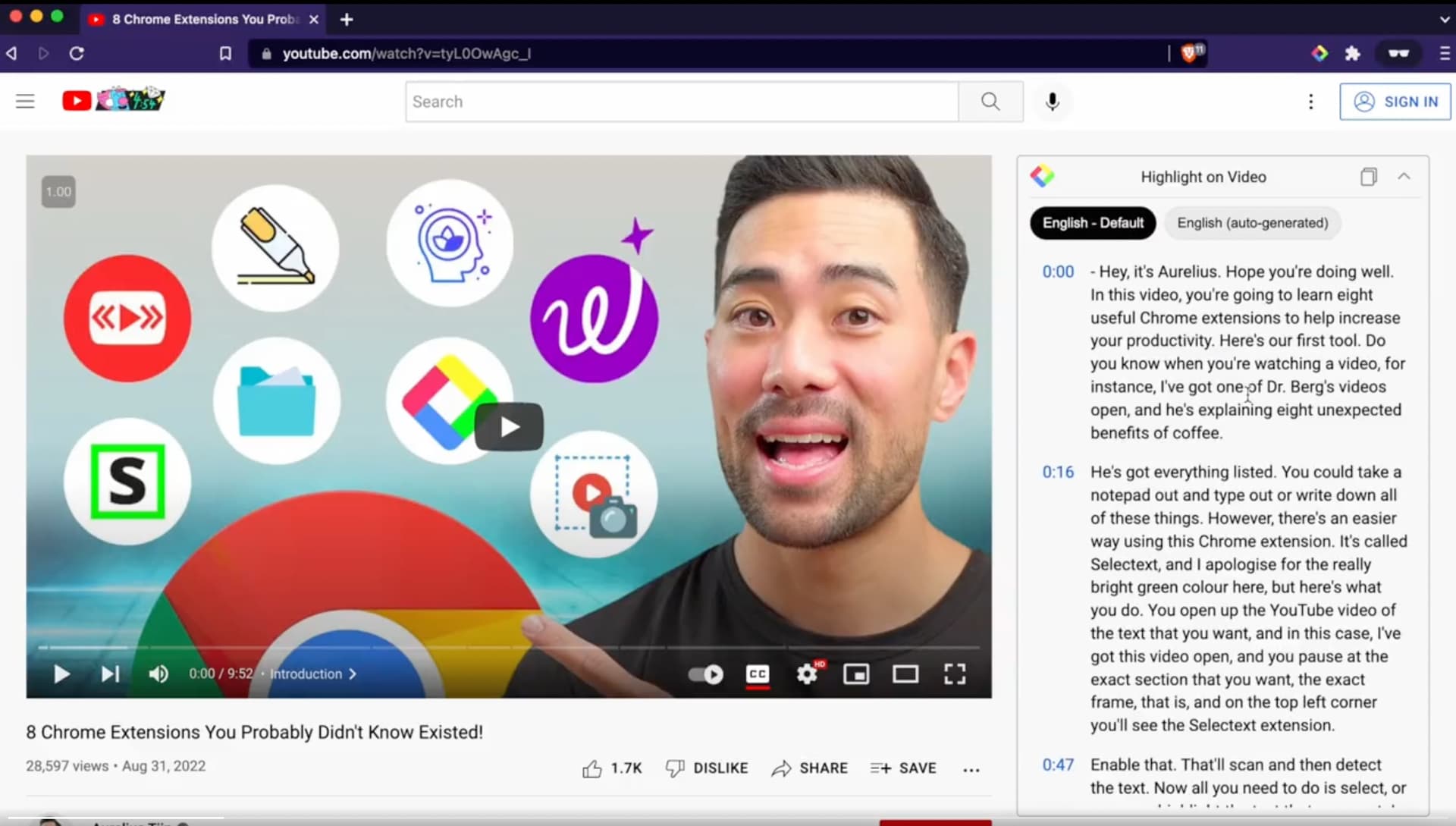
To show and copy the transcript, you don’t need to create an account with Glasp. Just a Chrome extension.
But with the Glasp account, I can highlight the Youtube transcripts. Then, I can only export the highlighted transcripts.
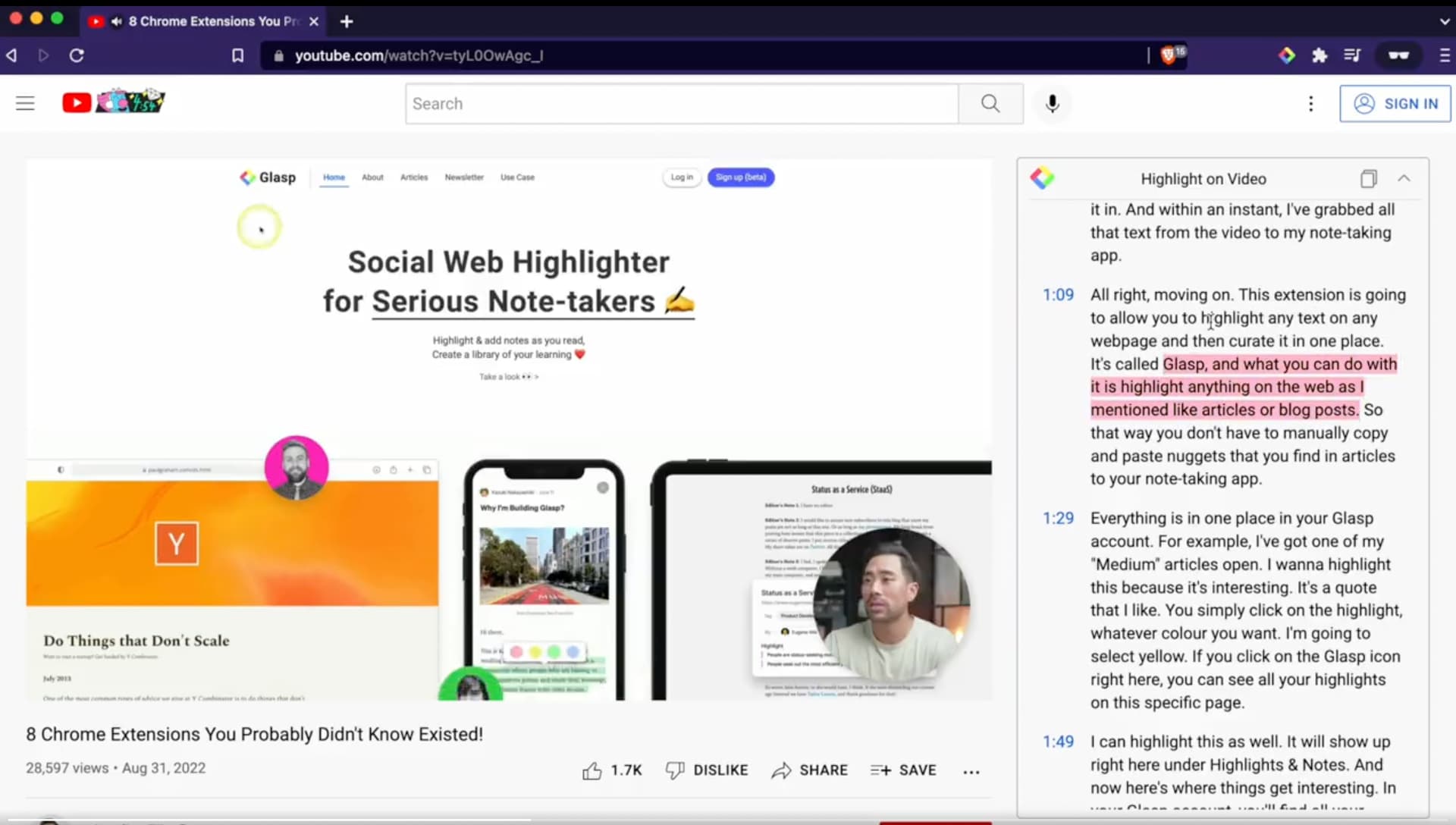
And if I copy-n-paste only the highlighted transcript on Obsidian, it’s shown like below.
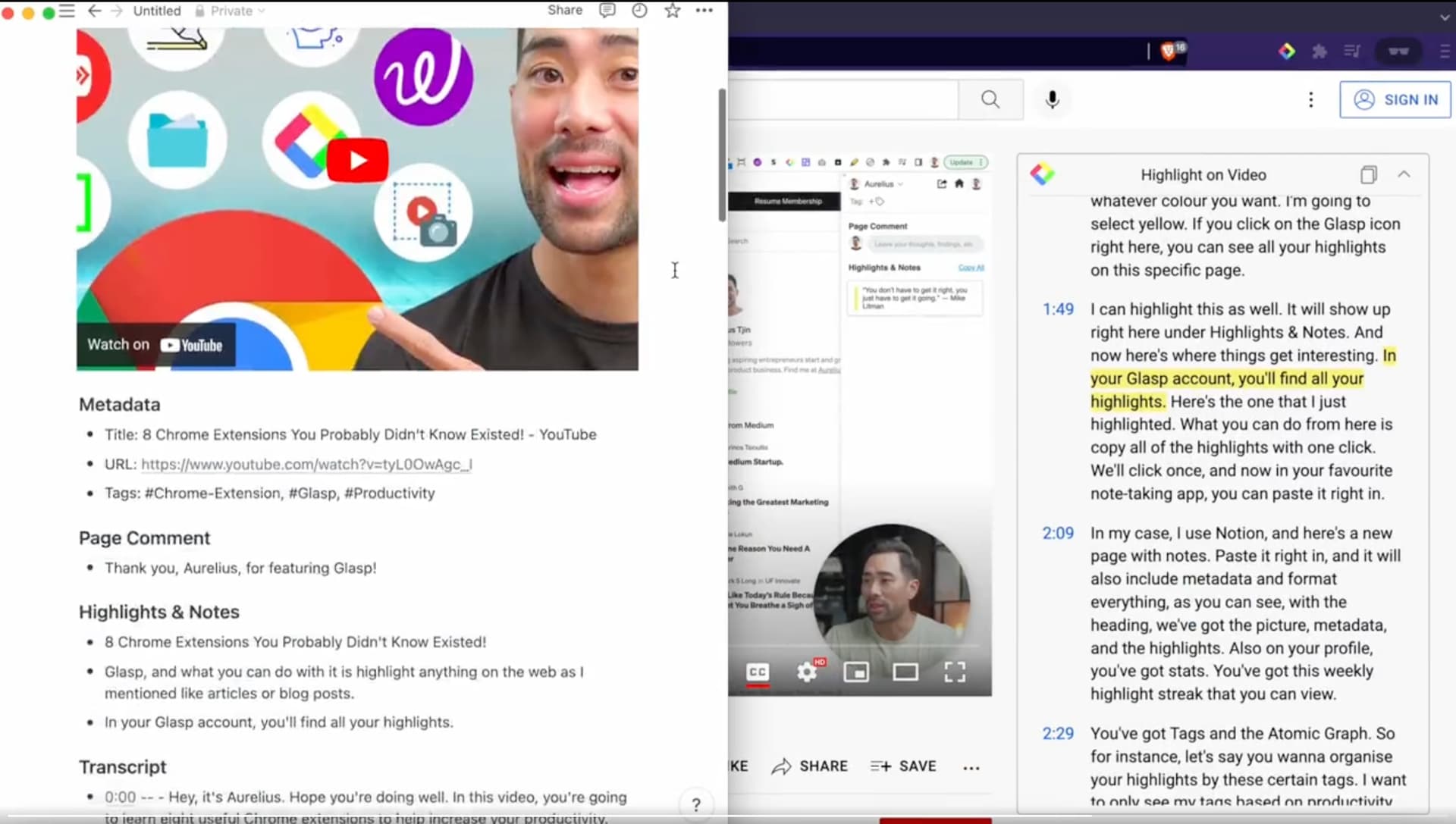
It’s markdown style by default. So, it’s useful and saves my time a lot! Hope it helps you as well
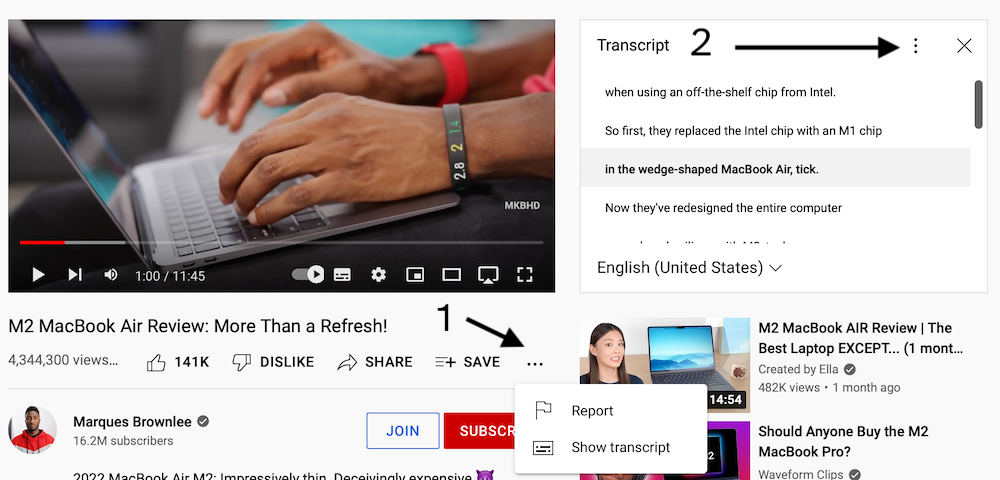
Another way, with no accounts or extensions needed:
- select ‘show transcripts’
- toggle ‘timestamps’ as needed
- copy and paste the transcript as needed
Hi Klaas, thanks for the comment and sorry for the confusion.
What I meant was to copy-n-paste transcript, you don’t need to sign up. But if you want to highlight, you need to sign up because they create a profile page where all of your highlights are accumulated.
Thank you, eightning!
Yeah, I know this way, too! But with that way, the sentences are cut in short and I need to edit them which is cumbersome for me.